
Building a WordPress site used to mean weeks of manual layout work, plugin testing, and back-and-forth with developers before anything went live. That picture is changing fast. AI in WordPress web development now touches nearly every stage of building and running a site, from the first layout draft to the security scans running quietly in the background. This shift matters because it lowers the barrier for smaller businesses while giving larger teams new ways to scale without adding headcount at the same rate.
This article looks at three areas where the change shows up most: building sites with AI assistance, personalizing the visitor experience, and keeping a site healthy over time.
AI Website Building and Design Tools
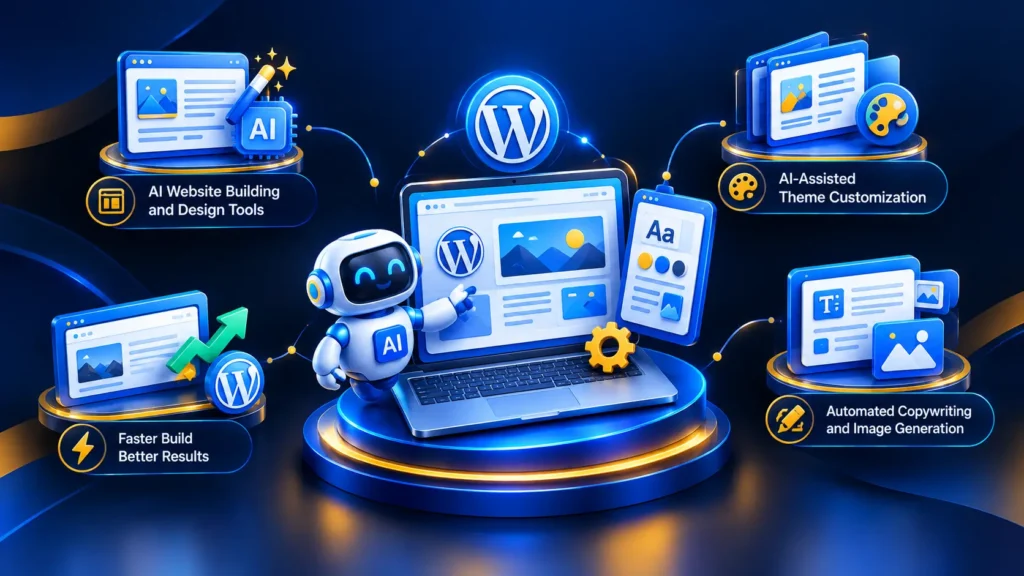
Designing a WordPress site traditionally started with a blank page and a lot of guesswork. AI website builders now generate a working layout from a short description of the business, its industry, and its goals, suggesting color schemes, page structure, and content blocks based on patterns learned from thousands of existing sites.
Automated layout generation saves the most time during the earliest stage of a project. Instead of assembling sections one at a time, a site owner can generate a full homepage draft and then adjust it, since many page builders now embed AI suggestions directly into the drag-and-drop editor.
AI-Assisted Theme Customization
Modern WordPress themes increasingly ship with built-in AI features that recommend fonts, spacing, and image placement based on the site’s content and industry. A dental clinic site and an e-commerce store get different suggestions because the AI reads context from the pages already created, which reduces the trial and error that used to define theme customization.
Drag-and-drop builders enhanced with AI go a step further by predicting what a user wants to add next. If someone places a testimonial block, the tool might suggest a matching call-to-action or a related image gallery based on patterns across similar pages.
Automated Copywriting and Image Generation
Generative AI tools can draft headlines, product descriptions, and blog outlines directly inside the WordPress dashboard. This does not replace a skilled copywriter, but it gives teams a starting point that cuts down the blank-page problem. Image generation tools follow a similar pattern, producing draft visuals for landing pages when stock photography does not fit the brand.
Businesses that want a site built with these tools from the ground up, rather than assembled piece by piece, often turn to a specialized website design and WordPress development service to pair AI speed with human judgment on branding and structure. Getting expert help to plan an AI-optimized WordPress site can shorten the timeline while avoiding common structural mistakes.
AI for Website Personalization and User Experience
Once a site is live, the next challenge is making it feel relevant to each visitor. AI personalization engines track behavior such as pages viewed, time spent, and past purchases, then adjust what a visitor sees on their next visit rather than showing the same homepage to everyone.
Chatbots are one of the most visible personalization tools on WordPress sites today. A well-configured chatbot can answer common questions, qualify leads, and hand off complex issues to a human agent without the visitor leaving the page. Natural language processing has improved enough that many chatbots now handle multi-step conversations rather than simple keyword matching.
Dynamic Content and Predictive Search
Dynamic content blocks change based on who is viewing them. A returning visitor might see a different homepage banner than a first-time visitor, based on what the AI has learned about their interests. Predictive search takes this further by suggesting results before a user finishes typing, drawing on site content and behavioral data from other visitors.
For WooCommerce stores, personalized product recommendations have become one of the more measurable uses of AI, since shoppers who see items aligned with their browsing history tend to add more to their cart.
AI-Driven Testing for UX Improvements
A/B testing used to require manually splitting traffic and waiting weeks for meaningful results. AI-driven testing tools can now run multiple variations at once and shift traffic toward the better-performing version automatically, shortening the feedback loop for design decisions.
Health clinics, EdTech platforms, and retail businesses all benefit from this kind of testing since it removes guesswork from decisions about layout and calls to action. Exploring AI-powered personalization for your own website is worth considering if engagement has plateaued despite steady traffic.
AI for Website Maintenance and Performance
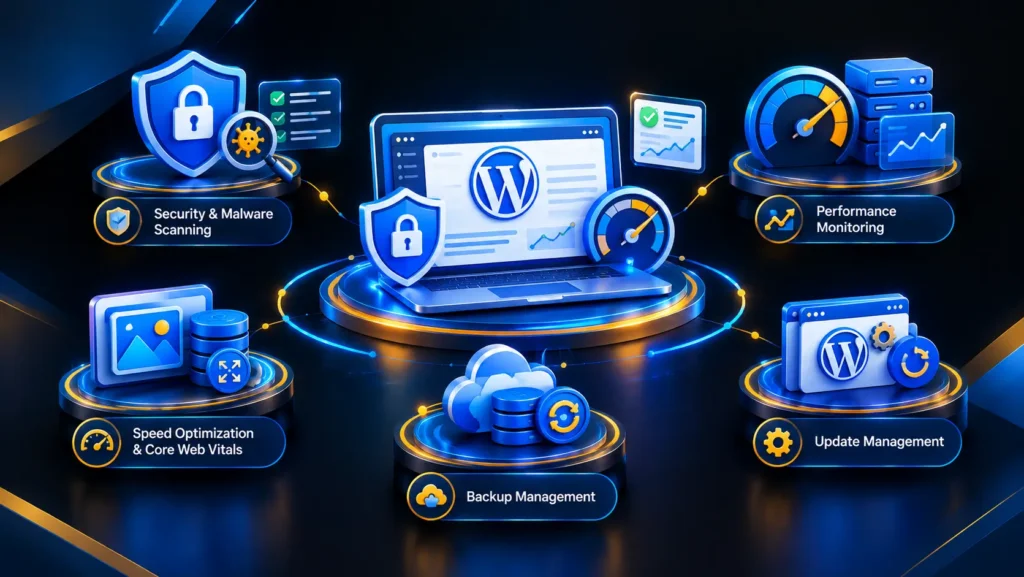
Keeping a WordPress site secure and fast is an ongoing job, and AI has changed how much of that work happens without manual intervention. Automated malware and security scanning tools now flag suspicious file changes and unusual login patterns in real time rather than waiting for a scheduled scan.
AI-based performance monitoring watches metrics continuously and flags problems before they affect visitors. Predictive maintenance alerts go further still, using historical data to warn site owners about a plugin conflict or server strain before it causes downtime.
Speed Optimization and Core Web Vitals
Page speed remains one of the biggest factors in both user experience and search visibility. Automated image compression tools now resize and optimize images the moment they are uploaded, without a developer setting rules manually each time. This directly supports Core Web Vitals scores, which Google uses as a ranking signal tied to loading speed and stability.
AI tools built for Core Web Vitals monitoring track these scores over time and suggest specific fixes, such as removing render-blocking scripts or adjusting server response times, turning a confusing area of SEO into something owners can act on.
Backup and Update Management
Manually updating WordPress plugins and themes carries risk, since a single incompatible update can break a live site. AI-assisted backup and update management tools test updates in a staging environment first, flagging conflicts before they reach the live site, which reduces downtime and gives owners more confidence in keeping software current.
For growing businesses running on cloud hosting, this automation matters even more, since server performance and application performance need to stay in sync. If your site has not had its performance or AI-readiness checked recently, a technical audit can reveal issues that are easy to miss otherwise.
Who Should Be Paying Attention to This Shift
Different businesses gain from AI in WordPress web development in different ways. E-commerce stores benefit most from personalization and WooCommerce recommendation engines, while small and medium businesses often gain the most from AI website builders that cut the cost of a professional-looking site.
Large enterprises tend to focus on automation for maintenance and security, given their higher page counts and traffic volumes. EdTech platforms and health clinics benefit from chatbots and dynamic content that handle routine questions at scale, freeing staff for complex inquiries. None of this requires waiting for a full redesign, since most tools can be layered onto an existing site through plugins and API integrations.
Some larger sites are also moving toward headless WordPress setups, separating the content backend from the front-end presentation layer. This pairs well with AI features, since developers can build fast custom front ends while still relying on WordPress and API integrations for content and automation. It is a more technical path, generally suited to teams with in-house development resources.
Dotcom Creativez has worked with businesses across these different scales, helping them figure out which AI tools actually fit their goals rather than adopting technology for its own sake.
Frequently Asked Questions
What does AI in WordPress web development actually mean?
It refers to the use of artificial intelligence tools and features, such as AI website builders, chatbots, personalization engines, and automated security scanning, to design, build, and maintain WordPress websites more efficiently than manual methods alone.
Is AI going to replace WordPress developers?
No. AI tools speed up repetitive tasks like layout drafts and image optimization, but decisions about branding, structure, and business strategy still require human judgment and experience.
Which AI tools are most useful for a small business WordPress site?
AI website builders for initial design, a basic chatbot for customer questions, and automated backup or security plugins tend to offer the best return for smaller sites with limited technical staff.
Does using AI tools on a WordPress site affect page speed?
It depends on the tool. Well-built AI plugins for image compression and performance monitoring generally improve speed, while poorly optimized third-party AI widgets can slow a site down if not configured correctly.
How do I know if my WordPress site is ready for AI-driven personalization?
A site generally needs a steady flow of traffic and enough content or product data for the AI to learn from. A quick technical and content audit can confirm whether personalization tools will have enough data to work effectively.
Bringing It All Together
AI in WordPress web development now spans three connected areas: building sites faster with AI-assisted design tools, making the visitor experience more relevant through personalization, and keeping sites secure and fast through automated maintenance. None of these areas work in isolation, and businesses that treat them as a connected strategy tend to see steadier results than those that adopt a single tool in isolation.
Dotcom Creativez is one of the leading digital marketing agencies in Kerala, and the team works with businesses ranging from local clinics to growing e-commerce brands on exactly this kind of connected approach to WordPress and AI. Whether you are starting a new site or trying to get more value out of an existing one, it helps to have a clear plan before adding new tools. Get Your AI Marketing Strategy today and find out which of these tools will actually move the needle for your business.