
A business searching for direction on WordPress website development often runs into the same wall: too many generic checklists and not enough clarity on what actually happens during a real build. This guide breaks that pattern. It covers what a WordPress build involves, why businesses across e-commerce, healthcare, education, and local services choose the platform, and how the process unfolds from planning to launch. By the end, you will know what to expect and what to ask any developer you consider.
What WordPress Website Development Actually Means for a Business
WordPress website development is the process of turning a business idea into a functioning, manageable website using WordPress as the content management system. A CMS lets a non-technical person update pages, publish posts, and manage products without touching code each time something changes.
For a clinic, that might mean updating appointment slots. For an online store, it means adding products without waiting on a developer. This layer separates a site a business can run day-to-day from one that becomes a maintenance burden the moment it goes live.
Who Should Be Involved
A solid build needs three roles: an owner who understands the customer, a developer who translates goals into a working site, and someone thinking about SEO from day one rather than bolting it on later. Skipping any one tends to surface as rework.
Why Businesses Choose WordPress Over Other Platforms
WordPress powers a large share of websites worldwide, and that scale brings real advantages. Thousands of themes and plugins already exist for nearly every business need, from appointment booking to online payments, so fewer features need building from scratch.
Closed platforms lock a business into one vendor’s ecosystem. WordPress gives you ownership of your own code, content, and hosting instead, an asset you control if you ever want to switch developers or hosting providers without starting over.
WooCommerce, the e-commerce extension built for WordPress, turns the same CMS into a full online store, handling inventory, checkout, and payment gateways. That flexibility is why a WordPress for small business setup and a larger WordPress web design services project can start from the same foundation.
How to Build a WordPress Website Step by Step
A step-by-step WordPress build process deserves its own article, and the companion guide in this series covers it in depth. At a high level, the sequence looks like this:
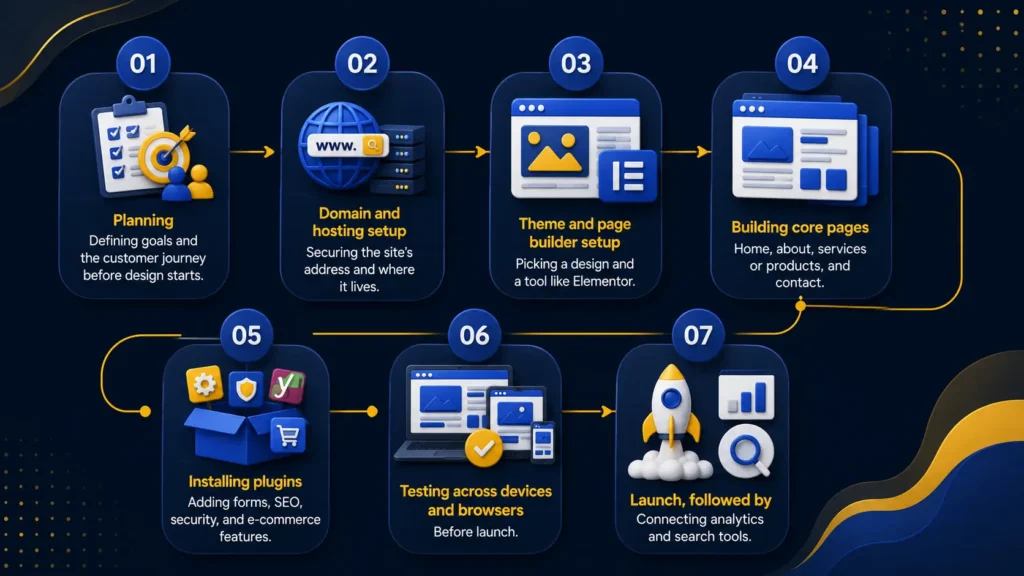
- Planning: defining goals and the customer journey before design starts
- Domain and hosting setup: securing the site’s address and where it lives
- Theme and page builder setup: picking a design and a tool like Elementor
- Building core pages: home, about, services or products, and contact
- Installing plugins: adding forms, SEO, security, and e-commerce features
- Testing across devices and browsers before launch
- Launch, followed by connecting analytics and search tools
Each stage can expand depending on how complex the business’s needs are.
Essential Elements of Every WordPress Website for Businesses
A site that looks finished can still be missing pieces that quietly cost a business customers. The essential features every business website needs go well beyond visual design.
Core Functional Features
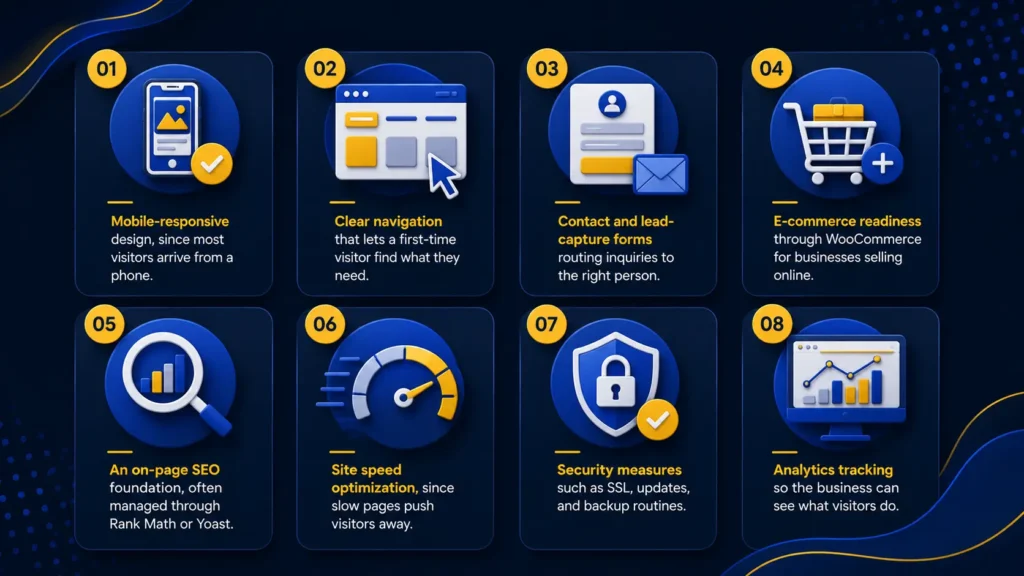
- Mobile-responsive design, since most visitors arrive from a phone
- Clear navigation that lets a first-time visitor find what they need
- Contact and lead-capture forms routing inquiries to the right person
- E-commerce readiness through WooCommerce for businesses selling online
- An on-page SEO foundation, often managed through Rank Math or Yoast
- Site speed optimization, since slow pages push visitors away
- Security measures such as SSL, updates, and backup routines
- Analytics tracking so the business can see what visitors do
Missing two or three of these tends to undercut everything else the site is trying to accomplish.
How Long Does It Take to Build a WordPress Website?
How long does it take to build a WordPress website is one of the most common questions asked before a project starts. A simple five or six page site can launch within two to three weeks. A custom build with e-commerce or heavy integrations can stretch to two months or more.
What extends a timeline is rarely the coding itself. Delayed content, unclear design decisions, and late-stage feature requests add far more time than the build does.
What a WordPress Website Costs a Business
Cost depends on scope, not a fixed number. A basic site with a handful of pages sits at the lower end, while a custom build with e-commerce and ongoing website maintenance and security sits considerably higher. Hosting, domain renewal, and premium plugin licenses continue after launch, and a realistic budget should account for them rather than treat launch day as the finish line.
Choosing the Right WordPress Development Partner
Picking a developer or agency comes down to more than price. Look for a track record with similar businesses, clear communication on timelines, and a willingness to explain decisions rather than hide behind jargon. Dotcom Creativez, working as the best digital marketing agency in Kerala, handles SEO, design, and content strategy under one roof rather than through separate vendors. Businesses in the region also look to the best digital marketing agency in Thrissur for the same mix of build quality and marketing follow-through once the site is live.
Questions Worth Asking Before You Sign
- After launch, who is the owner of the website files and hosting account?
- How website maintenance and security are handled post-launch
- Whether the quote includes testing and revisions
Common Mistakes Businesses Make With WordPress Websites
Businesses often treat launch as the end of the project, not the start of an ongoing responsibility. A site left unpatched for months becomes a security risk. Others skip the SEO foundation entirely, assuming visibility on Google happens automatically, when search engines need structured, optimized content to rank a page. A third mistake is choosing a theme purely on appearance without checking how it affects site speed, which undermines both experience and rankings.
Frequently Asked Questions
How much does WordPress website development typically cost?
Cost depends on page count, whether e-commerce is involved, and how much custom design is needed, ranging from a modest budget for a simple site to a considerably higher one for a fully custom build.
How long does a typical WordPress project take?
A straightforward site usually takes two to three weeks, while complex builds with e-commerce or custom integrations can take six to eight weeks or longer.
Is WordPress a good fit for e-commerce businesses?
Yes. Through WooCommerce, WordPress manages product listings, inventory, checkout, and payment processing, making it a practical CMS for online stores of varying sizes.
Do I need a developer, or can I build a WordPress site myself?
Simple sites built with page builders like Elementor suit a willing business owner, but custom functionality and SEO foundations usually benefit from professional involvement.
Does a WordPress website need ongoing maintenance?
Yes. Regular updates, backups, and security monitoring keep the site safe and functioning properly after launch.
How is WordPress different from other website platforms?
WordPress gives businesses full ownership of their code and hosting, plus a large plugin ecosystem, while closed platforms often limit customization and lock businesses into one vendor.
Final Thoughts
Building a WordPress website is less about picking a theme and more about deliberate decisions at each stage, from planning through post-launch maintenance. A business that treats the site as a long-term asset, not a one-time task, ends up with something that keeps earning its cost long after launch. Dotcom Creativez works with businesses across these stages, turning a WordPress website development project into a site that performs, not just one that looks finished on day one.