
Businesses researching a new website eventually run into one term more than any other: WordPress. This guide explains what WordPress web development actually involves, why it has become the default choice for organizations of nearly every size, and what the build process looks like in practice. You will also find an honest look at the trade-offs, so the decision rests on facts rather than marketing.
What Is WordPress Web Development?
WordPress web development is the process of designing, building, and maintaining a website using WordPress as the underlying content management system, or CMS, the software that lets a business create and update web pages without writing code from scratch. It covers theme selection and customization, plugin integration for added functionality, and the technical work needed to keep a site fast, secure, and easy to expand.
There is a meaningful difference between merely having a WordPress site and having one that has been properly developed. Anyone can install WordPress in an afternoon, but a site where structure, speed, security, and scalability were engineered on purpose performs differently from one assembled with default settings and a random theme.
Why WordPress Is Different From Building a Website From Scratch
A custom-coded website is built line by line, with every feature written specifically for that one project. WordPress takes a different approach: it gives a business a working foundation, then lets developers customize on top of it rather than starting from zero. That foundation includes a large ecosystem of themes and plugins, so common needs such as contact forms, image galleries, or booking systems rarely require writing new software.
This shortens the path from idea to a working website considerably. It also means a non-technical staff member can log into the WordPress dashboard and update a page, publish a blog post, or swap a photo without calling a developer for every small change.
WordPress has powered a large share of websites worldwide for years, producing a deep, tested ecosystem of plugins, security patches, and documentation that a from-scratch build cannot match on day one.
Core Benefits of WordPress Web Development for Businesses
A properly built WordPress site delivers advantages that compound over time rather than benefits that only matter at launch.
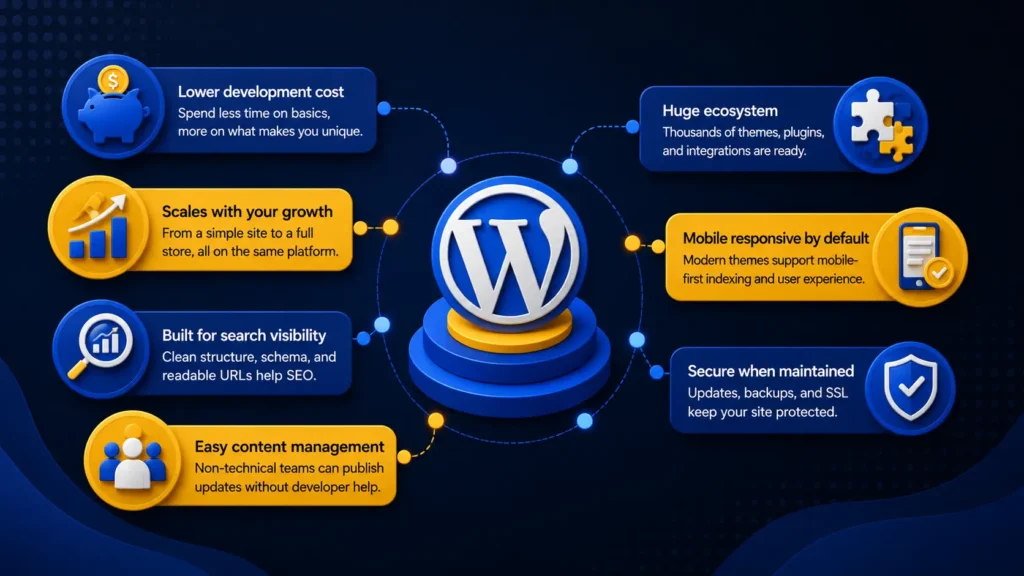
- Cost-efficiency compared to fully custom builds. Because so much foundational functionality already exists as tested plugins and themes, developers spend less time reinventing basic features and more time on what makes the business unique.
- Flexibility to scale. A simple five-page business website and a full online store can both run on WordPress, which means a company does not need to migrate to an entirely new platform as it grows.
- SEO-friendly foundations. Clean code structure, plugin-supported schema markup, and readable URLs give search engines a clear read on what each page is about, supporting stronger search engine visibility over time.
- Content control for non-technical teams. A marketing manager or business owner can manage a content management workflow directly, publishing updates without depending on a developer for routine tasks.
- A large ecosystem of themes, plugins, and integrations. Nearly any functionality a business needs, from newsletter sign-ups to appointment booking, already has a mature plugin option available.
- Mobile responsiveness. Modern WordPress themes are built with responsive design as a baseline, which matters directly for mobile-first indexing and how Google evaluates a site.
- A strong security posture when maintained properly. Regular updates, backup systems, and an SSL certificate form the baseline of website security, and a professionally managed WordPress site treats these as ongoing practice rather than a one-time setup.
The WordPress Web Development Process, Step by Step
Building a WordPress site properly follows a sequence, and skipping steps tends to show up later as rework.
Web development complete guide→
Discovery and Requirement Gathering
Everything starts with understanding the business: who the audience is, what the site needs to accomplish, and which features are genuinely necessary versus nice to have. Skipping this stage is the most common reason websites end up with confusing navigation or missing functionality.
Planning the Site Architecture
Before design work begins, the site’s information structure gets mapped out: which pages exist, how they connect, and how a visitor moves between them. Good website architecture helps both users and search engines find what they need with minimal friction.
Design and Theme Selection or Custom Design
Depending on budget and brand requirements, a business either customizes an existing theme or commissions a custom design built around its brand identity online. This stage determines how the site looks and how intuitively it functions.
Development, Plugin Integration, and Functionality
This is where the site gets built inside WordPress, often using a page builder or drag-and-drop editor for layout, along with plugin integration for features like forms, e-commerce, or membership access. A staging environment, a private copy of the site used for testing, lets developers check changes before anything goes live.
Content Population and On-Page SEO Setup
Pages get filled with real content, images are optimized, and technical SEO foundation work such as meta titles, header structure, and internal linking gets put in place from the start rather than bolted on afterward.
Testing Across Devices and Performance Benchmarks
Before launch, the site gets checked across different devices, browsers, and connection speeds, with particular attention to page load speed and the metrics Google groups under Core Web Vitals.
Launch and Post-Launch Monitoring
The work does not end at launch. Ongoing monitoring, performance checks, and website maintenance keep the site running well as traffic grows and content gets added.
Why Businesses of Every Size Choose WordPress Web Development
Different business types arrive at WordPress for different, equally valid reasons.
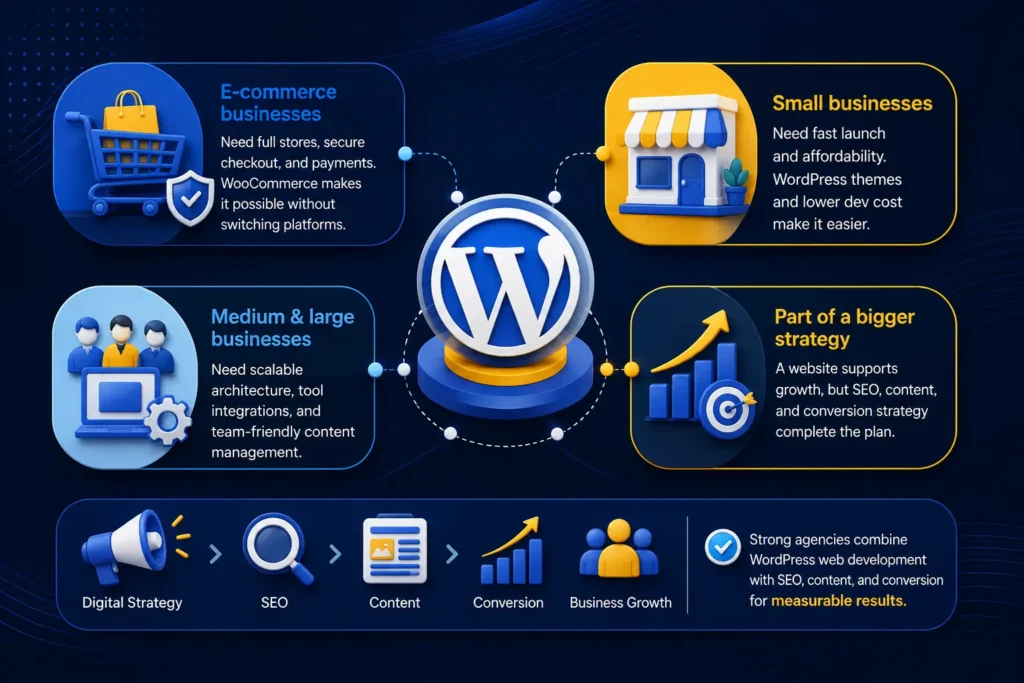
E-commerce businesses need an online storefront that can handle a full product catalog, secure checkout, and payment gateway integration, and WooCommerce, WordPress’s dominant e-commerce extension, provides that without switching to a separate platform.
Small businesses building their first professional website usually care most about speed to launch and affordability, both of which WordPress supports through its theme ecosystem and lower development overhead compared with custom coding.
Medium and large businesses tend to prioritize different things: scalable website architecture, integrations with existing business tools, and a content management workflow that supports several team members publishing at once.
A website is only one component of a broader growth strategy, not the entire strategy by itself, a point covered in more depth in the guide Why Every Business Needs Digital Marketing in 2026. A business searching for the best digital marketing agency in Kerala will typically find that the strongest agencies treat WordPress web development as one piece of a coordinated plan that also includes SEO, content, and conversion strategy, rather than an isolated project.
Important Considerations Before Choosing WordPress
Balanced advice means naming the trade-offs honestly, not just the upside. WordPress’s flexibility comes from its plugin ecosystem, but plugin quality varies, and too many low-quality plugins can slow a site down or create security gaps. Ongoing updates matter more than most business owners expect; WordPress core, themes, and plugins all receive regular security patches, and skipping them is a common cause of compromised sites.
The platform’s ease of use can also create a false sense that no expertise is required. A site built without attention to website architecture, clean code, or crawlability can look fine on the surface while performing poorly in search rankings. Professional development still matters, even on an approachable platform.
How to Get Started With WordPress Web Development for Your Business
Getting started well means defining goals before touching design: what the site should accomplish in the first six months, and how success will be measured. From there, choosing a development partner matters more than most business owners assume, since the gap between a technically sound WordPress build and a fragile one is rarely visible until something breaks.
Preparing brand assets, including logos, product photography, and written copy, ahead of the build shortens the timeline considerably. Businesses searching for the best digital marketing agency in Thrissur often find that working with a team like Dotcom Creativez, which handles both the technical build and the surrounding SEO and content strategy, removes the need to coordinate multiple vendors separately. A realistic timeline for a standard business website spans several weeks from discovery to launch, longer for e-commerce or highly custom builds.
Frequently Asked Questions
How much does WordPress web development typically cost?
Cost depends on site complexity, the number of custom features required, and whether the design is fully custom or theme-based, but WordPress generally costs less than a fully custom-coded build because so much foundational functionality already exists.
How long does a WordPress website take to build?
A standard business website usually takes several weeks from discovery through launch, while e-commerce sites or highly custom designs take longer due to added testing and integration work.
Is WordPress suitable for e-commerce businesses?
Yes. Through WooCommerce and related plugins, WordPress supports full online stores with product catalog management, secure checkout, and payment gateway integration, making it a practical choice for e-commerce brands.
Can a non-technical business owner manage a WordPress site after launch?
Yes. The WordPress dashboard is built for content updates without coding knowledge, so a business owner can publish pages, update text, and manage a content management workflow independently once trained.
How does WordPress compare to other website platforms?
WordPress offers more flexibility and a larger plugin ecosystem than most closed website builders, while remaining faster to launch than a fully custom-coded site, which is why it suits businesses that expect to grow or add functionality over time.
Conclusion
WordPress web development gives a business a foundation that is fast to launch, flexible enough to grow with the company, and manageable by non-technical staff once it is live. The real value shows up over time, as a well-built site keeps supporting new pages, new features, and higher traffic without needing a full rebuild.
Dotcom Creativez approaches this work as one part of a larger strategy, treating a website as infrastructure for growth rather than a one-time project to check off a list. Businesses evaluating their options are better served by understanding the process first and choosing a path that fits their actual goals, not the loudest sales pitch.